CIRCUITS · ELECTRONICS · SIGNALS · PHYSICS · MATH
Harness the secrets of electromagnetism
Learn circuits and electronics by solving real problems and measuring real circuits on a virtual lab bench. It's free during Early Access, in your browser or on Linux.
Spark Chamber is a long-term project to understand and harness electromagnetism, from particle physics to electronics and signal processing. It's real engineering: you work with the tools engineers use, from circuit simulation to the oscilloscope, on real parts with real tolerances. Every topic is a node on one tree, and it lights only when you prove you understand it. Early Access covers circuits and electronics, and more of the tree opens with each release.
It needs no account and keeps your progress on your device. The browser version runs on Windows, Mac, and Chromebook with nothing to install. On Linux, get the Snap.
Join the beta to help test 0.7 until December 6, 2026.
WHAT'S NEW · 0.7.2 · OCTOBER 21, 2026
- Settings opens from anywhere with Ctrl+comma or the gear. On the Bench it opens beside the drawing, so the scope stays in view and keeps running.
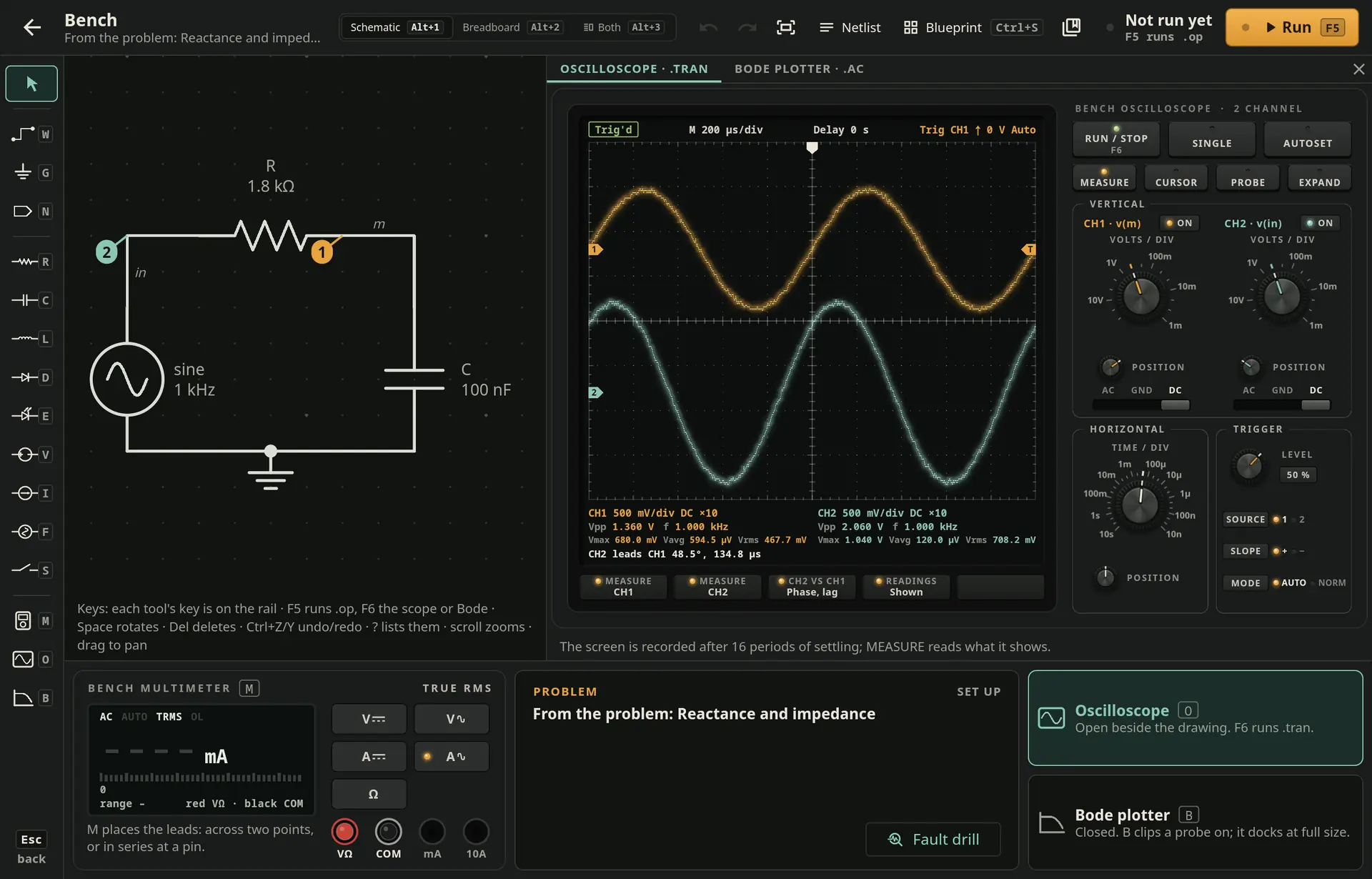
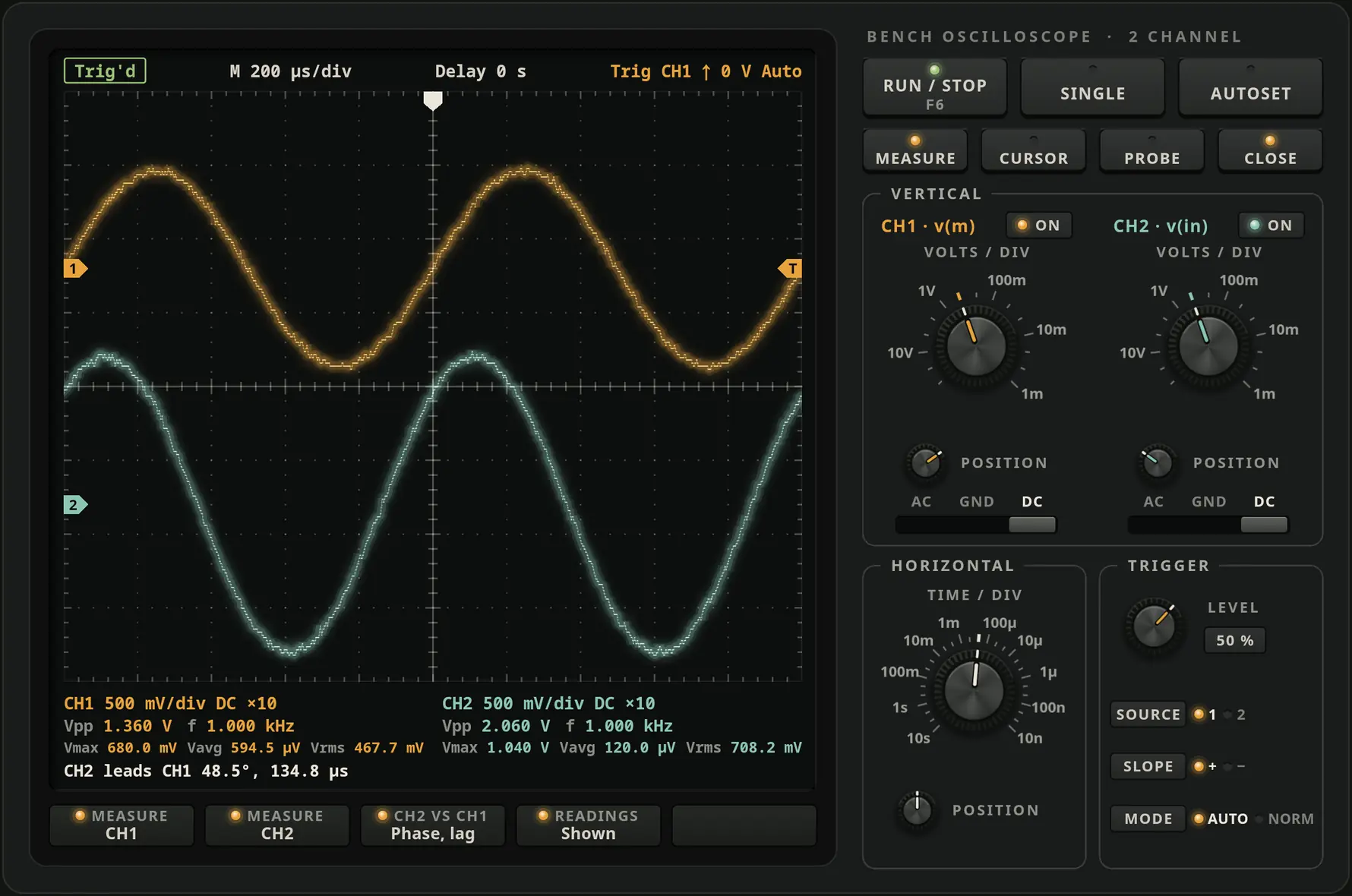
- A bigger docked scope: SMALL, HALF and FULL in its header, and on a wide window it takes half the window.
- No ghost traces: changing a setting or the signal clears the old trace at once, as on a real digital scope.
- A steadier sound for laptop speakers: choose Speakers or Headphones under Listening on in Settings.
- The simulator picks its own time steps, and its readings are checked against ngspice, an independent simulator, on over 200 circuits.
- Corrected readings for the buck converter, the rectifier ripple and the Schmitt trigger, and the breadboard refuses a dead short.
01 · HOW IT WORKS
Understand it, prove it, build it
Spark Chamber is for beginners, for students taking Circuits I or Electronics I, and for hobbyists who build things.
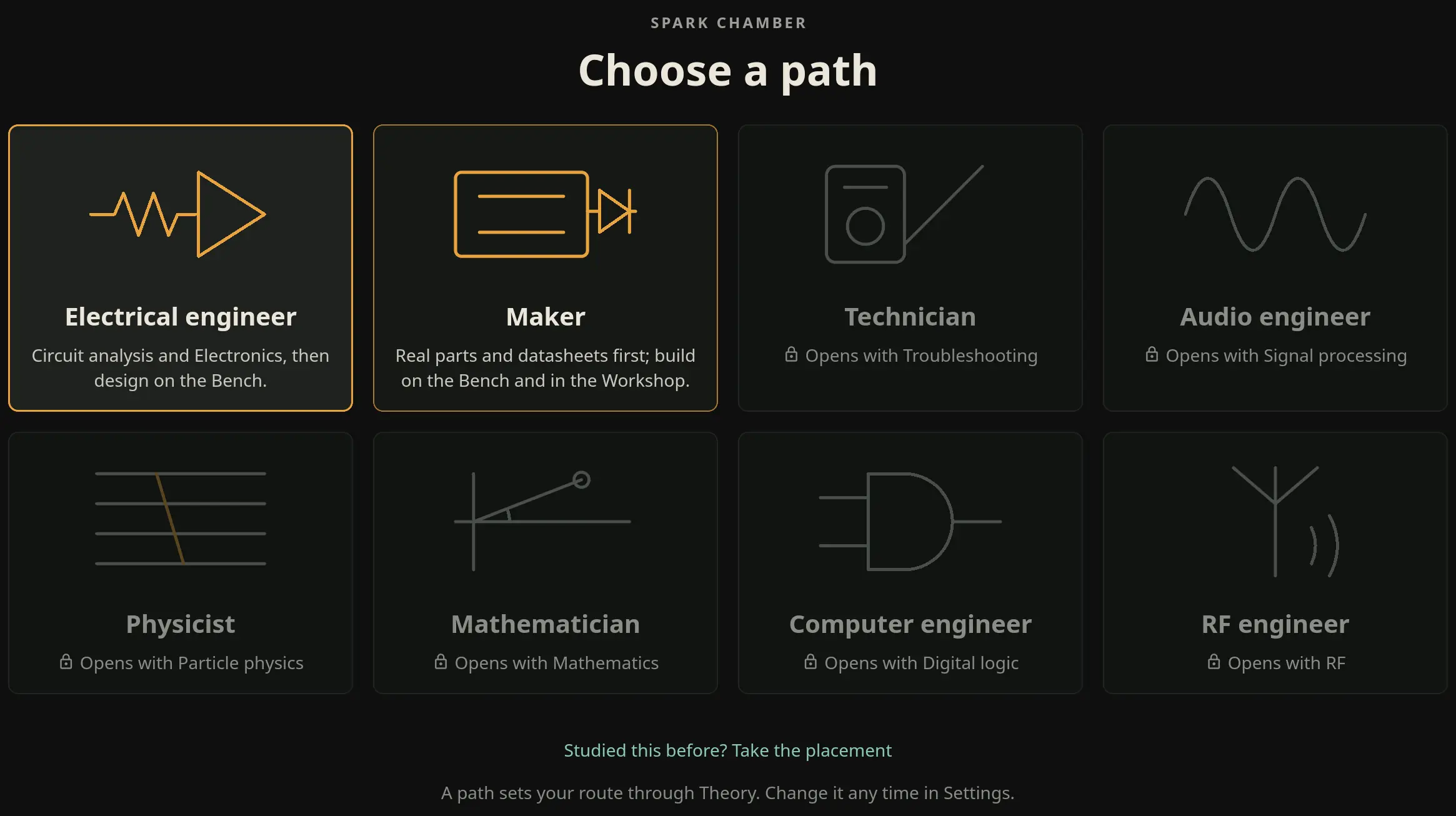
- Understand the ideaEach topic starts with the idea, why it happens, and a worked example.
- Practice until the topic lightsAnswer five problems in a row correctly, without hints, each harder than the last. Then pass a final test of three problems, with one try each.
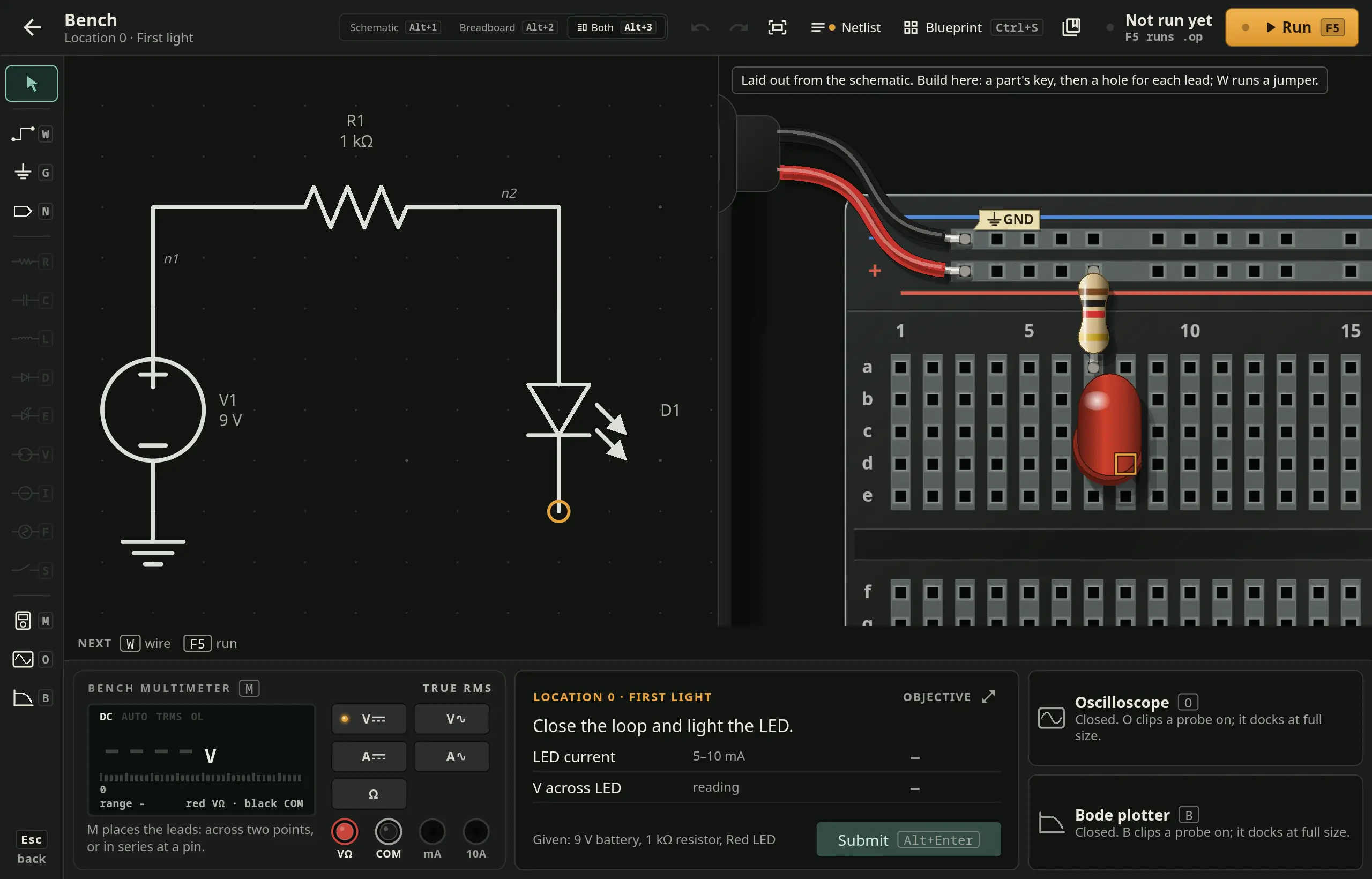
- Build it and measure itBuild the circuit on the Bench, on a breadboard or as a schematic, predict a reading, run it, and measure it with a multimeter or an oscilloscope.
No mascots, streak quests, or subscriptions. The challenge is the engineering itself.
02 · THE TREE
One tree, from the fundamentals up
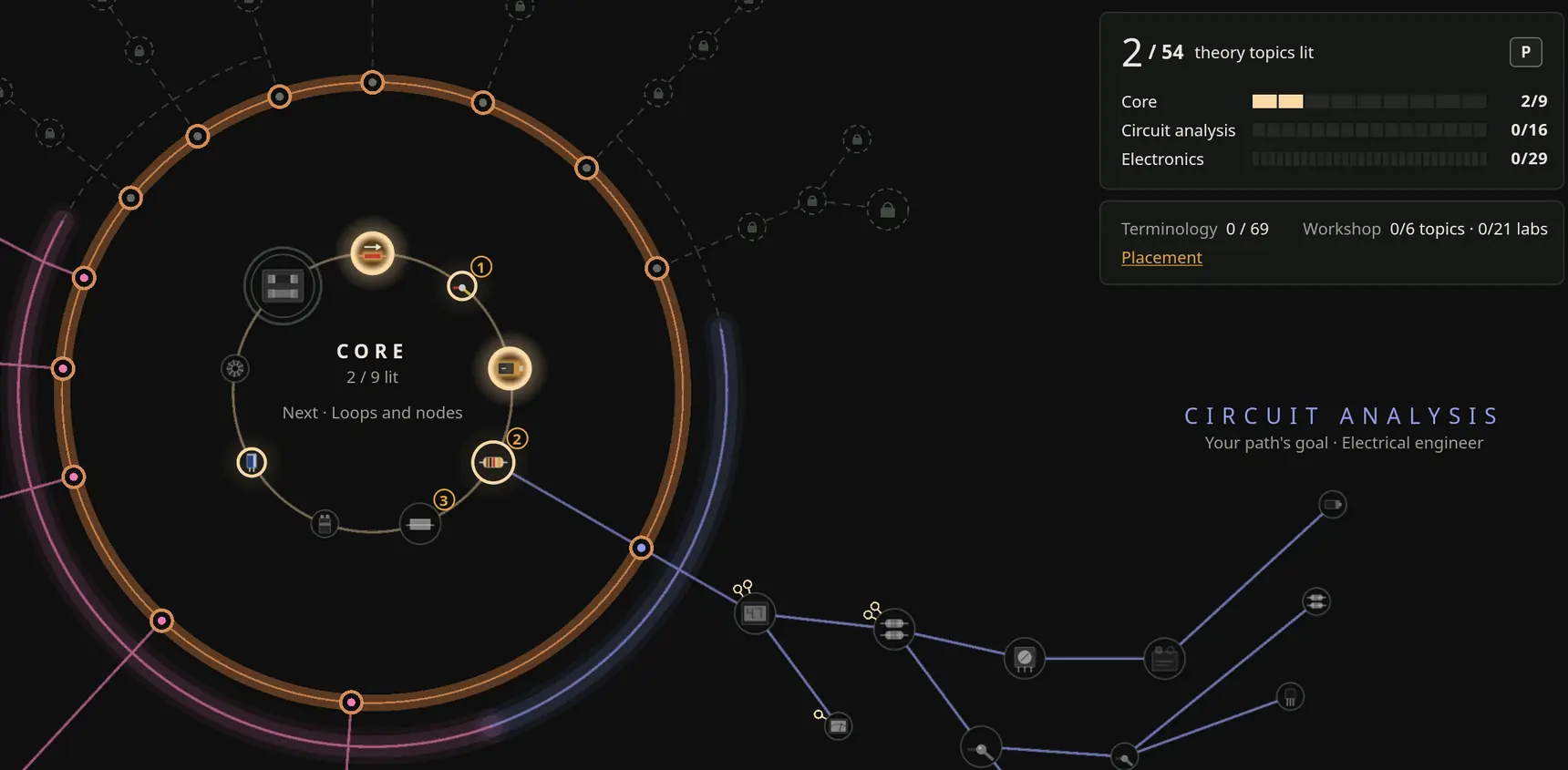
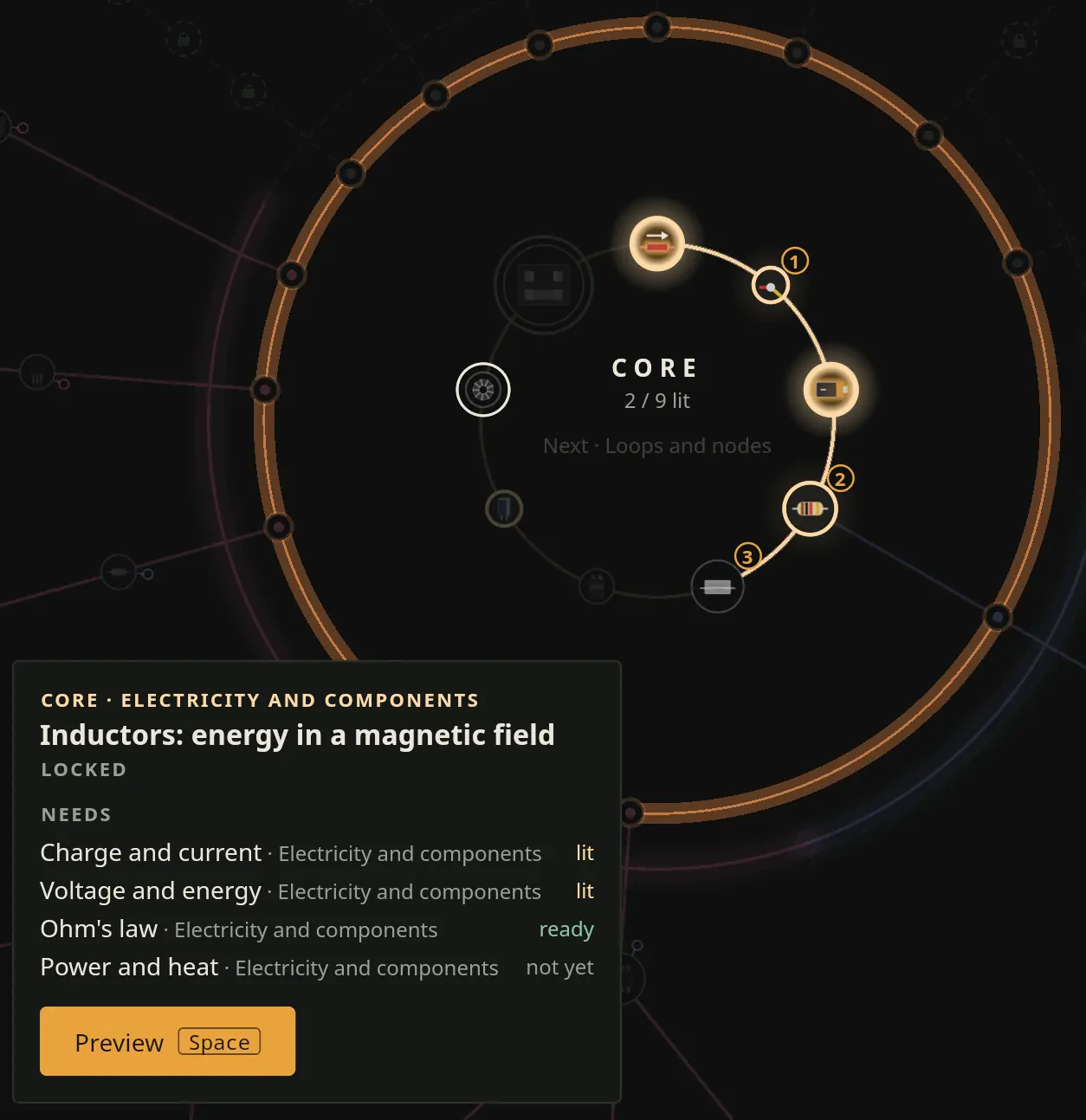
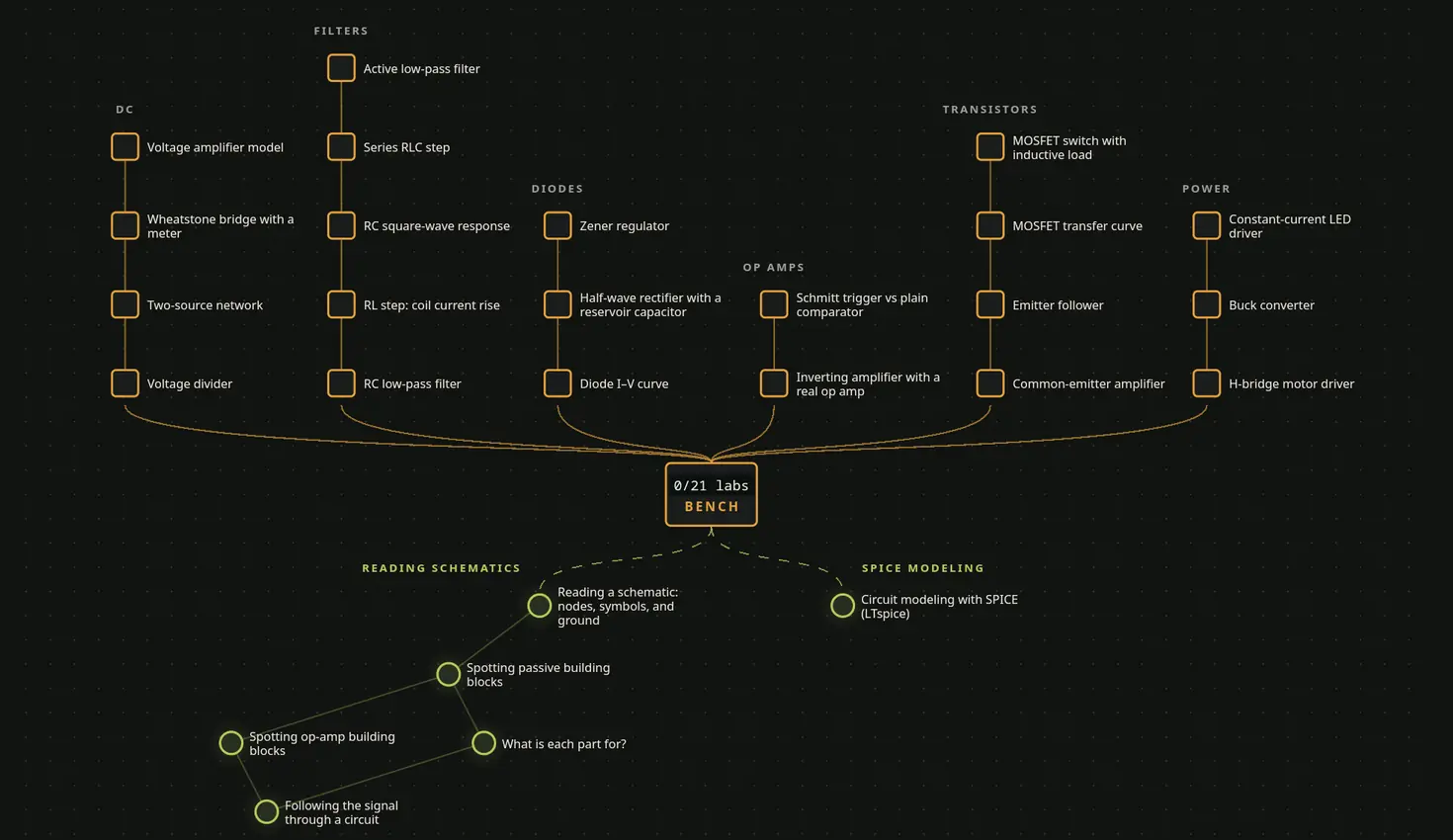
Topics build from charge, voltage, and current into circuit analysis and electronics. Every line between two topics marks a real prerequisite, so you always know why a topic is locked and what it leads to.
You haven't unlocked this topic yet, but you can see it and where the subject leads.
All its prerequisites are lit, so you can start it now.
You've mastered it: five correct answers in a row, without hints, each harder than the last, then a final test of three problems with one try each.
Lit topics come back for review after 1, 3, 7, 14, and 30 days. A missed review restarts the schedule, and two in a row mark the topic shaky. It stays lit, and one clean review steadies it.
03 · REAL WORK
Design to a spec, with real parts
Design problems give you a requirement and a range of standard part values. The app accepts any design that meets the requirement, not just one textbook answer. It runs some designs in a circuit simulator, so real effects such as op-amp bandwidth or an actual diode drop decide whether your design works.
- Standard part values from the E12 and E24 series
- Worst-case analysis with part tolerances
- Datasheet limits: absolute maximum and recommended operating ratings
- Designs checked in a circuit simulator
- The Bench: wire a circuit, predict a reading, and measure it with a multimeter, an oscilloscope, a function generator, or a Bode plotter
- An 830-point breadboard: put each lead in a hole and run jumpers, and the schematic redraws from what you built
- A real multimeter: DC and AC volts (true RMS), amps through a shunt that loads the circuit, and ohms with the power off
- Hidden faults to find with the meter, on circuits from the problems or your own
- Any circuit's netlist, ready to copy into LTspice
- A design map: each location is a real circuit to design, build, and measure against its specification, and clearing one reveals the next
- Workshop labs that you run on the Bench, step by step
- Saved circuits, and blueprints you can open again from your library
- Build it for real: a breadboard layout and parts list for circuits powered by batteries or USB, at 12 V or less
Nothing explodes. If your design works only on paper, the feedback names the effect you missed.
04 · CORRECTNESS
Correct, or it doesn't ship
A wrong answer does more harm than a missing topic, so Spark Chamber checks every problem before you see it.
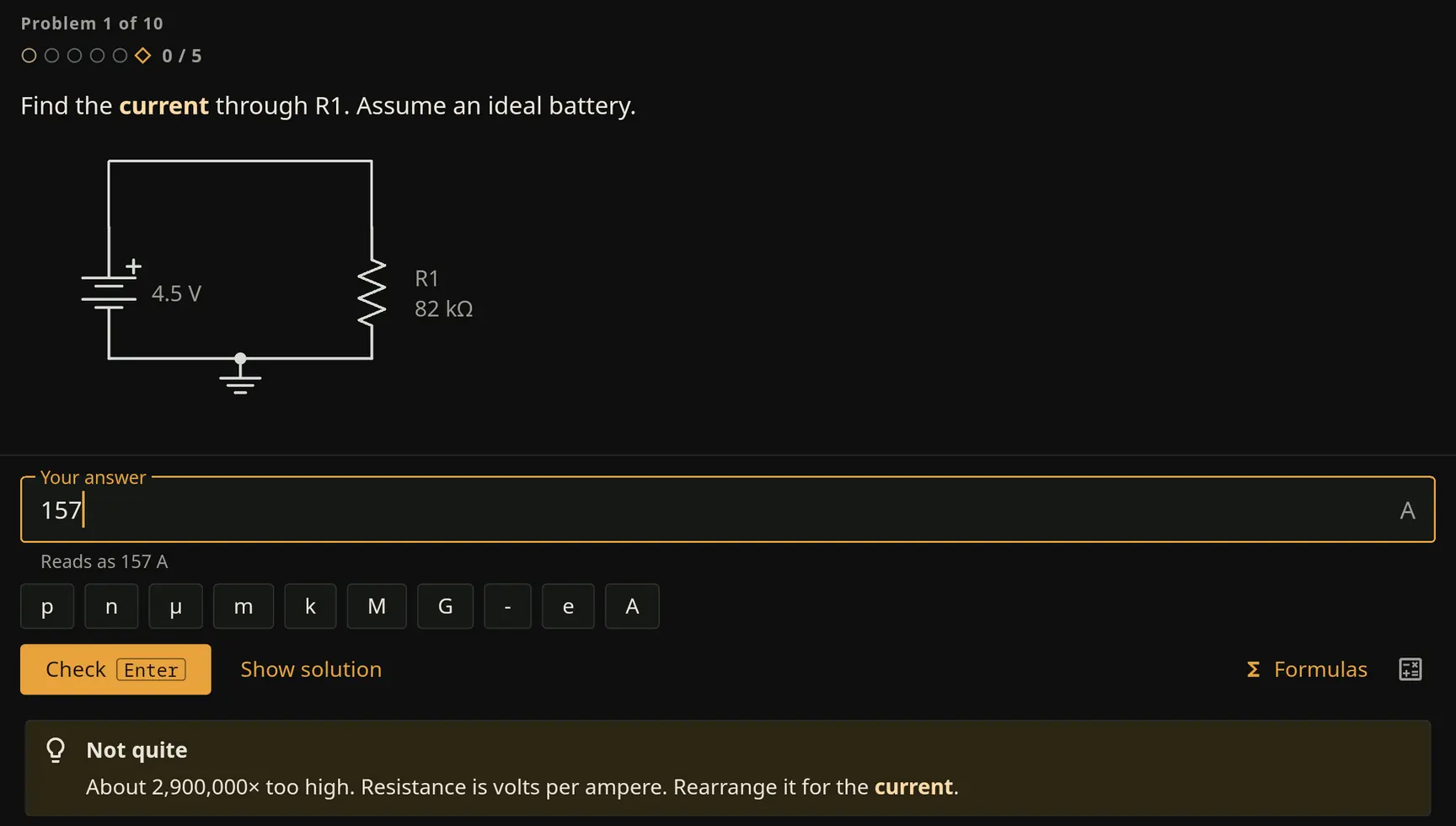
Found a mistake anyway? Use the Report a problem button under the problem. We read every report.
05 · WHAT'S IN IT
From charge to transistors, with more planned
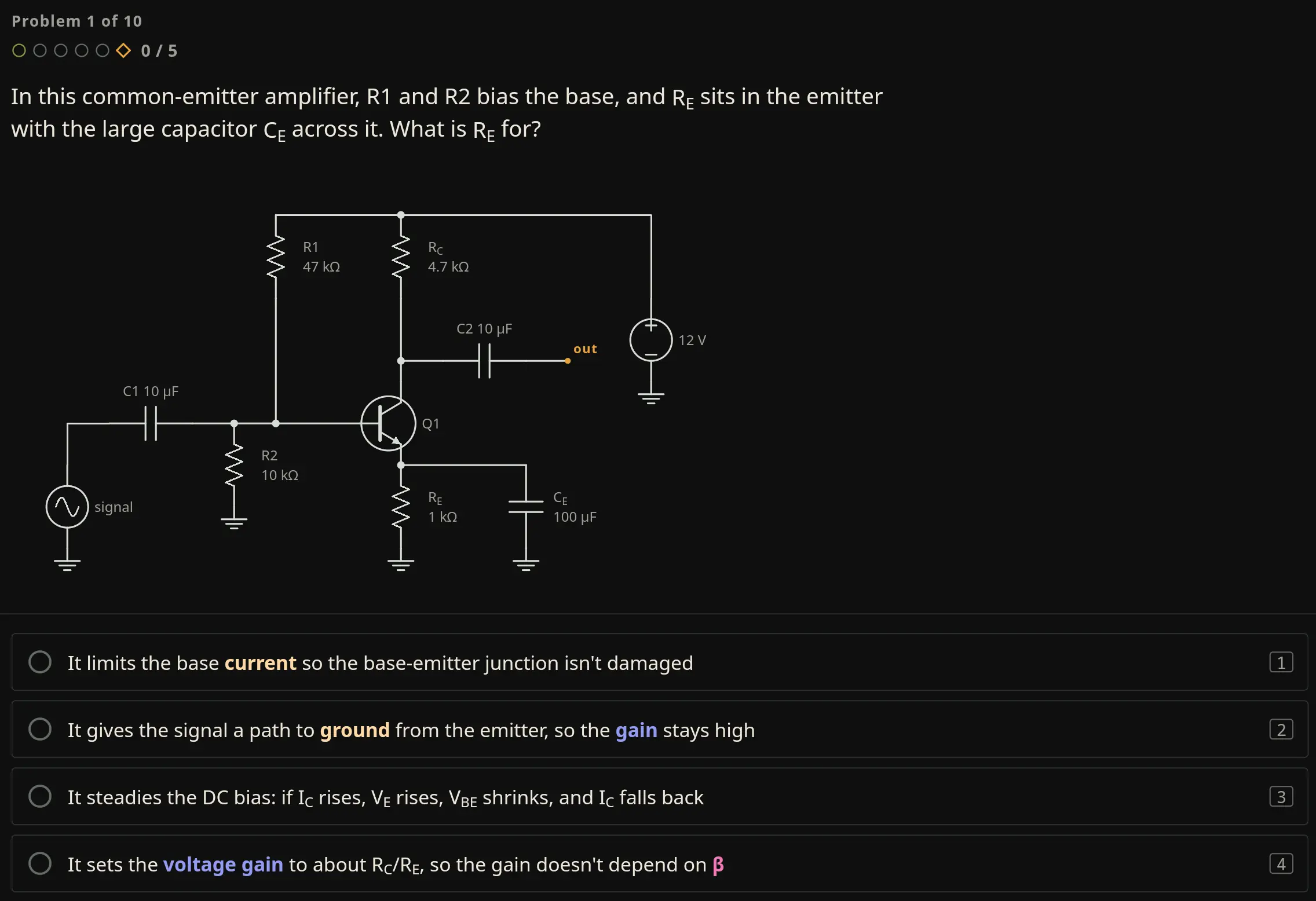
Early Access covers circuits and electronics: 60 topics, from charge and current to op amps, diodes, transistors, and MOSFETs, plus reading schematics and SPICE modeling. The other subjects are planned. Each one ships only after it's written, checked, and reviewed.
It also has Terminology, 69 key terms on boards by subject, each with a page of its own, and a placement test that finds where you should start, with an “I don't know” button instead of guessing.
06 · PLANNED
What's planned
This is the plan as it stands. Dates are targets, and the plan may change.
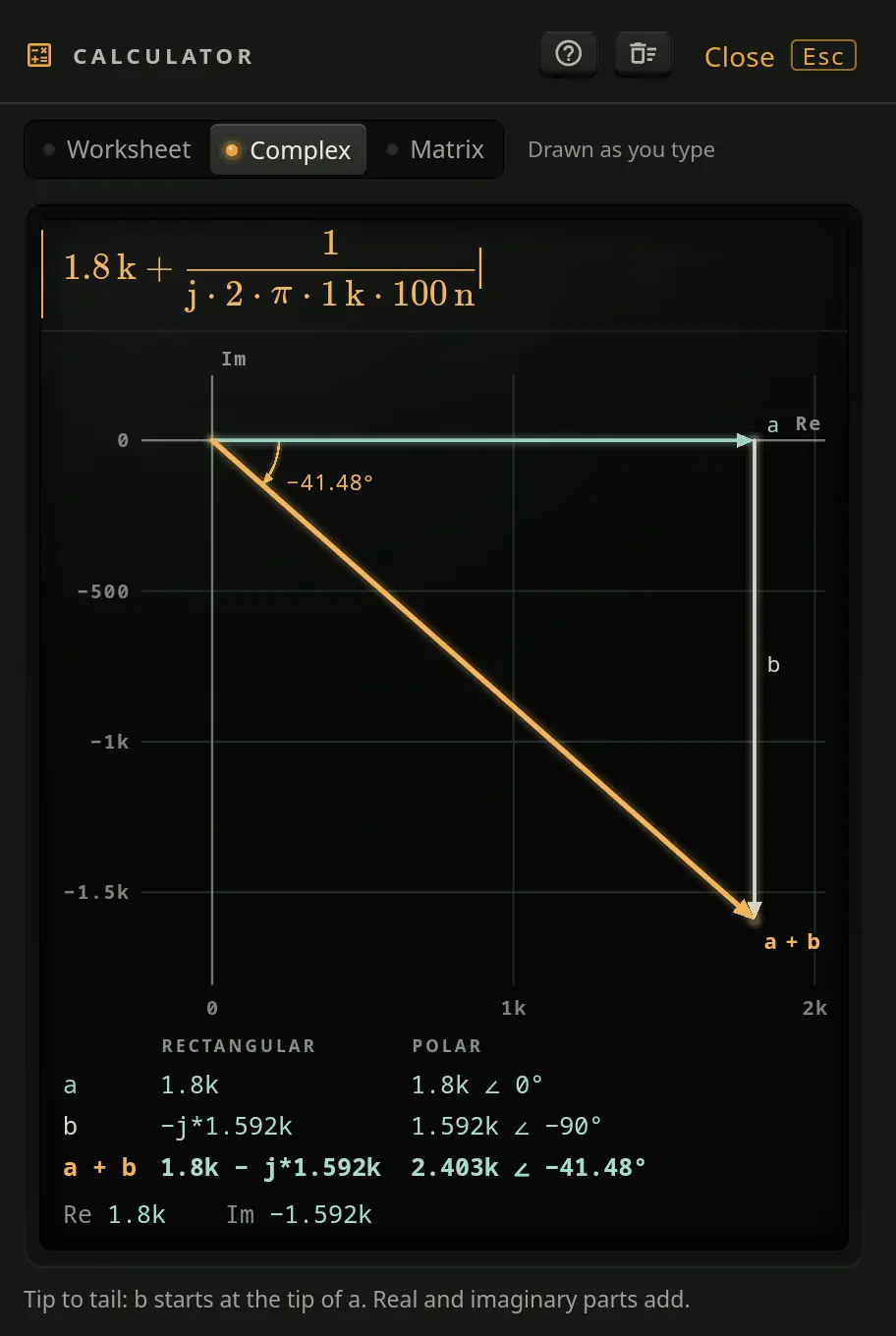
- Next · 0.7.3Faster scope captures, with a Settling or Acquiring readout while the scope works; keyboard keys for the scope's channels; calculator fixes; and the last few readings that differ from ngspice fixed.
- Coming soonSix more topics in circuit analysis and electronics, a Theory map whose subjects grow outward as deep as they need, and new location cards that keep your measured results.
- Then · 0.8Circuits II: AC circuits with phasors, impedance and AC power, frequency response, filters and Bode plots, and transformers. Electronics II: differential pairs, frequency response, output stages and feedback. Also a catalog of the real parts you use, with their pinouts, their ratings, and what each rating means.
- 1.0 · early 2027Circuit analysis and Electronics complete, each as a two-semester college sequence, on Linux, the browser, macOS, and Windows.
- After 1.0Ambient music and sound, a full history of your progress, the Design Bench's full workflow, real PCB and embedded design with export to KiCad, specializations in audio, power, RF, and embedded systems, and the other subjects shown as locked on the map.
07 · SUPPORT
Free during Early Access
Every topic, problem, and tool is free while Spark Chamber is in Early Access. There are no ads or subscriptions, and Spark Chamber collects no data to sell. If you find it useful, you can help fund its development.